ZOOMINFO MCP
Connect your AI to verified B2B data
ZoomInfo MCP enables MCP-compatible AI models to query structured B2B company, contact, and technographic data directly within their workflows.
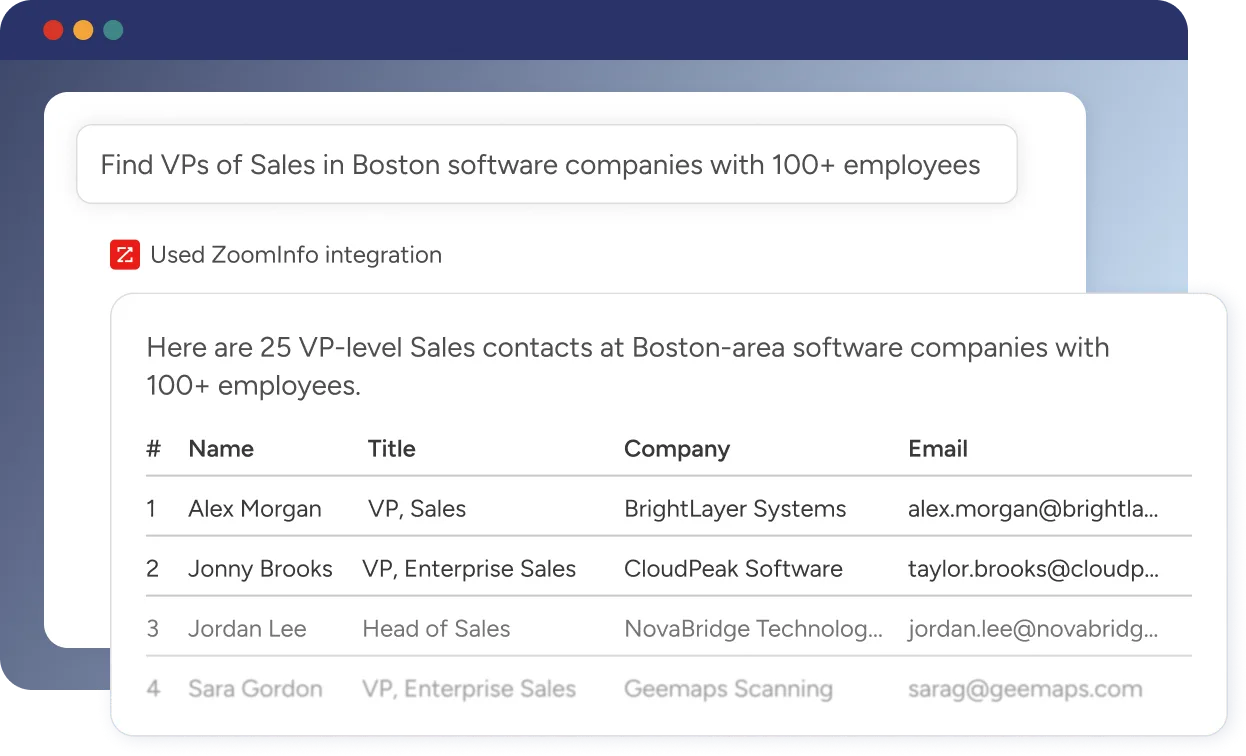
AI-native data access across tools
Connect ZoomInfo data to Claude, ChatGPT, Perplexity, Replit, or custom AI agents


Connect ZoomInfo to your AI in minutes
Works with Claude, ChatGPT, Perplexity, Replit, and any MCP-compatible AI

Open the connectors store
From your AI's integrations or settings menu, open the connectors store.
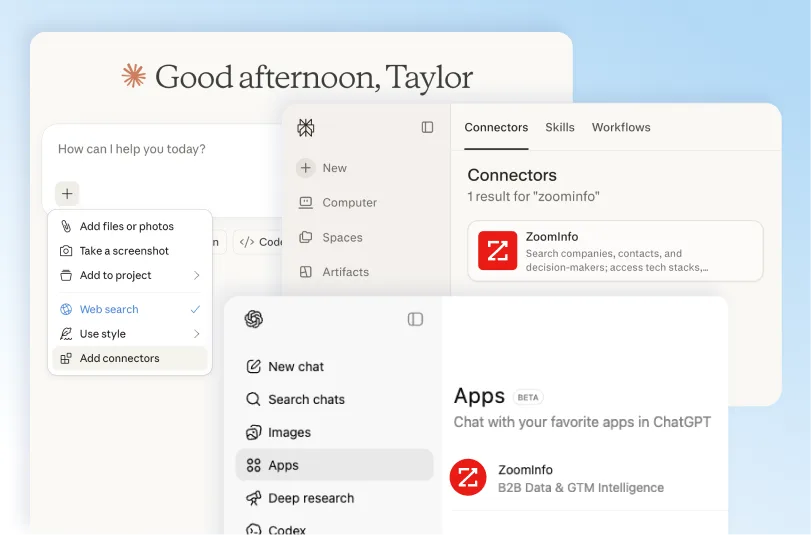

Enable ZoomInfo
Find ZoomInfo in the connector list and enable it.
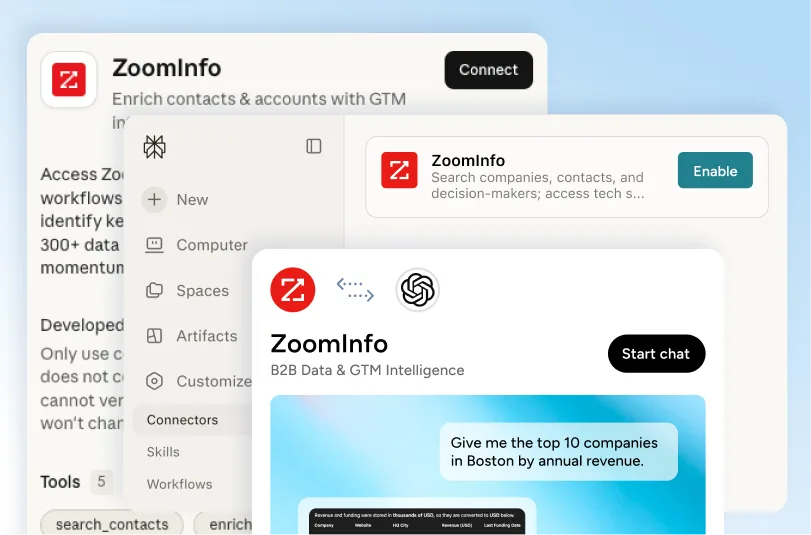

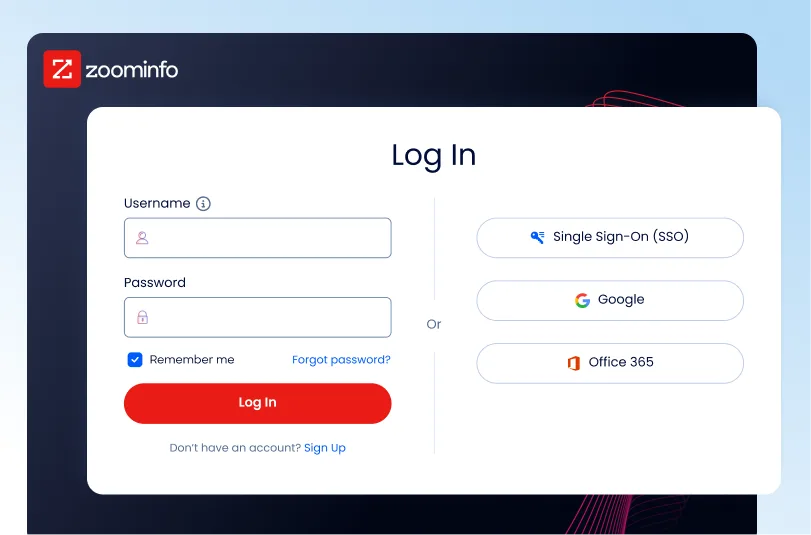
Authenticate
Sign in with your ZoomInfo credentials. Your AI uses standard OAuth to make ZoomInfo API calls on your behalf.
The ZoomInfo MCP toolset
When the ZoomInfo connector is active, your AI can use a set of tools that cover the GTM intelligence lifecycle:

Find Accounts
Search for companies that match your target market using Zoominfo's proprietary matching and recommendation engines. Use filters like industry, company size, revenue, growth, location, and technologies to optimize your match.

Enrich Accounts
Add complete company profiles to your account lists, including firmographics, technographics, funding data, and key business signals.

Research Accounts
Research a company/account/organization using ZoomInfo market data with your CRM, conversation history and signals. Handles both targeted queries ("What's their recent news?") and broad orientation ("What's going on with this account?").

Find Contacts
Identify similar contacts and receive AI-ranked recommendations on who to engage at each account using ZoomInfo's models and recommendation engines. Go deeper by filtering for role, seniority, department, and other professional attributes.

Enrich Contacts
Enhance your contact lists with verified email address, phone number and additional high-value attributes to fuel your GTM.

Research Contacts
Access full profiles, employment history to personalize every message with the latest information. Answer questions like: - Professional background: What's their career history? Where did they work before? - Current role: What do they do? What are their responsibilities? - Education & expertise: Where did they go to school? What's their expertise? - Contact info: What's their email? Phone number? LinkedIn? And much more.
Five workflows to try today
Each workflow below is structured to be “prompt in, operational output out”. Copy, replace the bracketed fields and run it.
Workflow 1: Build a target account list from your ICP
Outcome: A structured list of accounts matched to your ICP, ready to sort, export, or hand to routing/workflows.
Tools used: Lookup, Search companies (optional: Enrich companies)
Workflow 2: Deep account research before a meeting
Outcome: A scan-ready briefing for a live meeting.
Tools used: Account research, Contact recommendations, Web search
Workflow 3: Visual account portfolio map (engagement-based)
Outcome: A QBR-ready portfolio view grouped by engagement status.
Tools used: Search companies, Account research (iterated), HTML artifact generation
Workflow 4: Generate a mutual action plan grounded in account intelligence
Outcome: A MAP you can use in a deal cycle or expansion motion, tied to known stakeholders and known context.
Tools used: Account research, Contact recommendations, Search contacts, Document generation
Workflow 5: Expand from a closed deal into lookalike accounts (with outreach)
Outcome: A lookalike account list, a matched persona list, enriched contacts, and first-draft outreach.
Tools used: Find similar companies, Search contacts, Find similar contacts, Enrich contacts, Message composition
Prompt template


Use when
Find high-fit companies and decision-makers
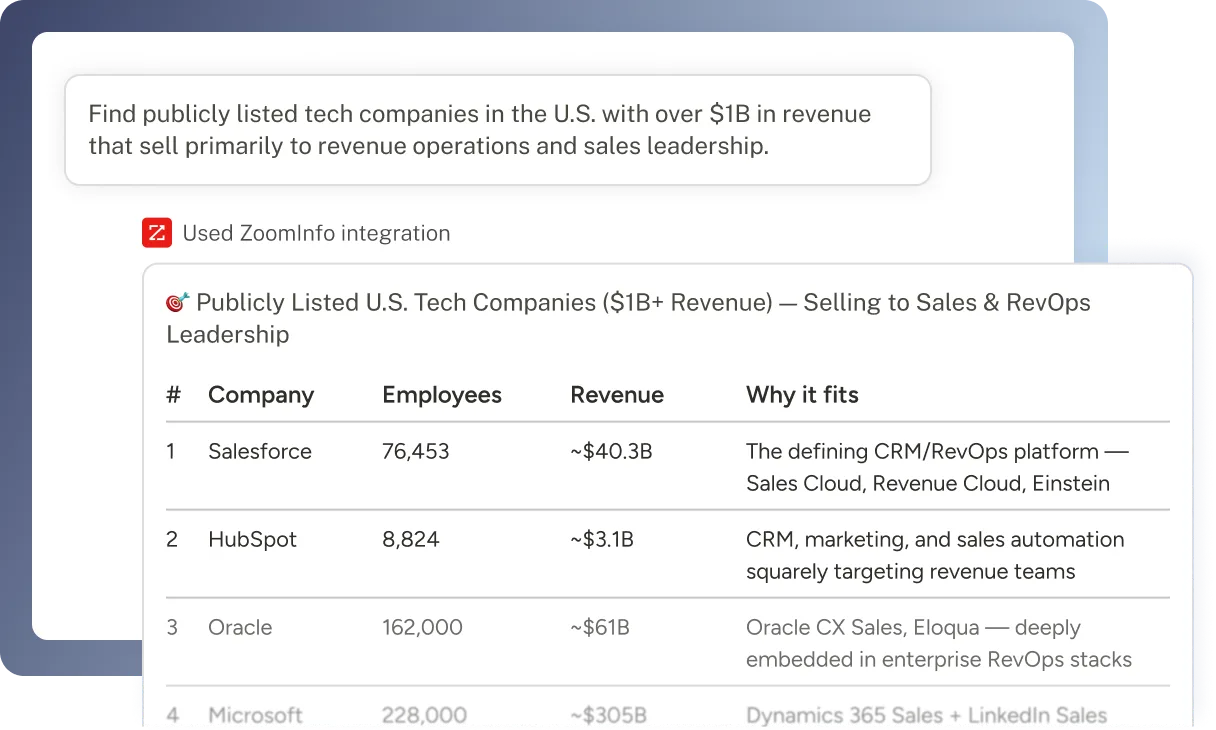
ZoomInfo MCP allows AI systems to identify target companies and decision-makers using natural language inside the tools your team already uses.
For example, a rep can ask:
“Find publicly listed tech companies in the U.S. with over $1B in revenue that sell primarily to revenue operations and sales leadership.”
Find ICP-fit companies based on revenue, industry, headcount, or go-to-market focus
Identify specific roles at target accounts and retrieve verified business contact details
Dynamic data enrichment
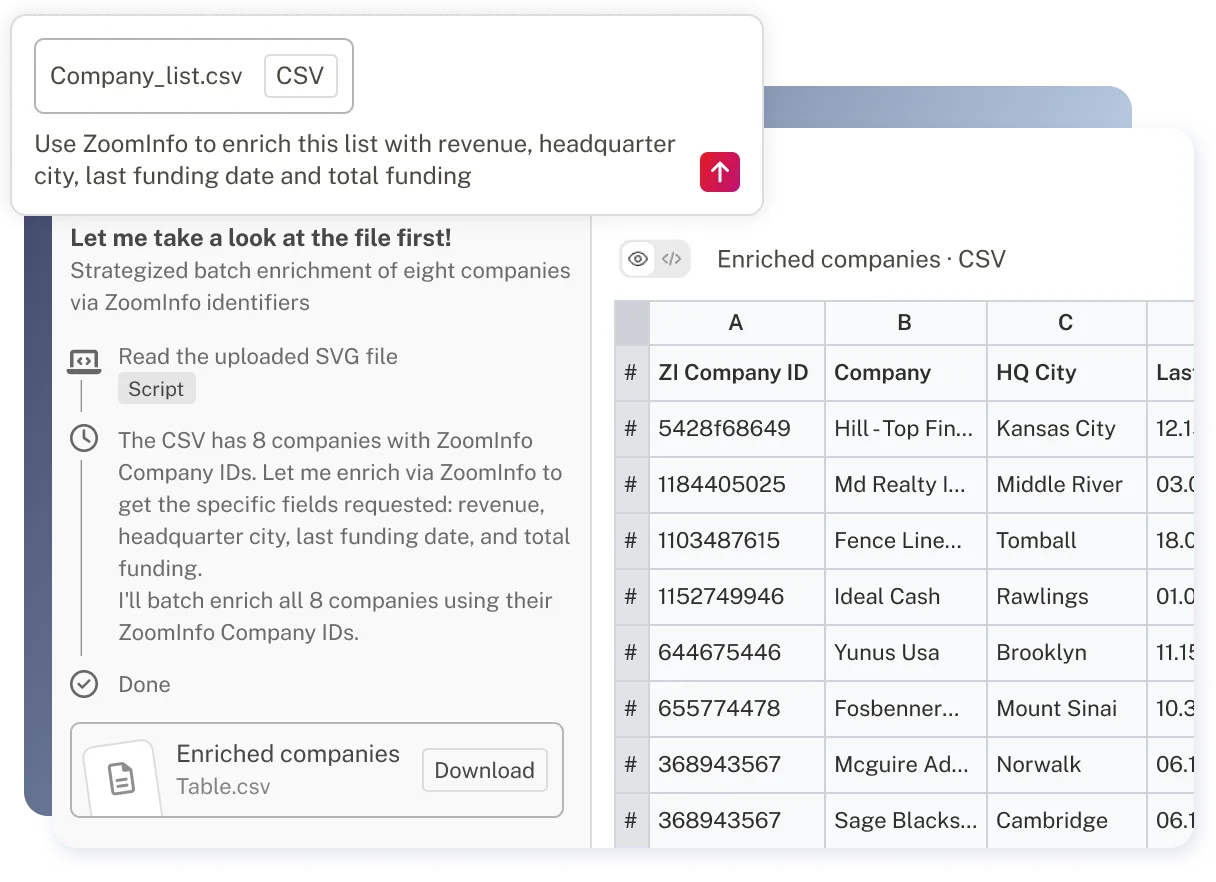
ZoomInfo MCP enables real-time enrichment directly within AI workflows. Teams can upload company lists, request specific business attributes, and receive structured outputs without building separate enrichment workflows.
Append employee headcount, revenue, funding data, headquarters, and other company attributes
Add verified contact details, including business emails and direct dials
Return enriched CSV or structured outputs ready for CRM or operational use
AI-native data access across tools
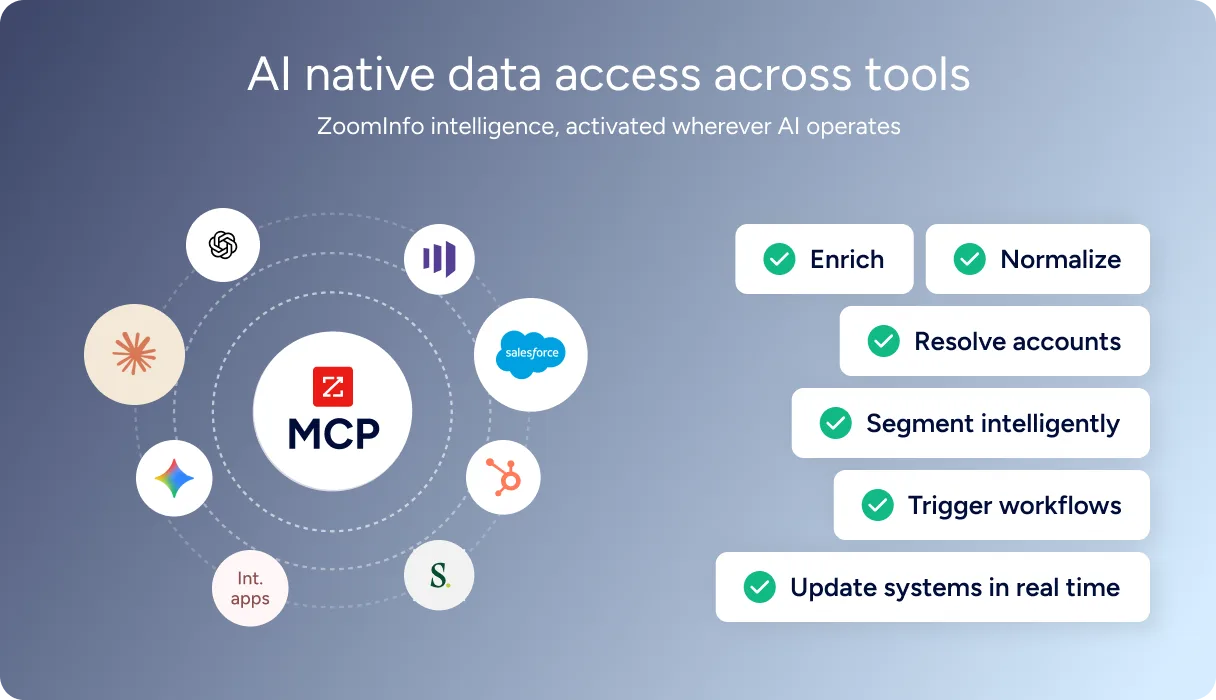
ZoomInfo MCP extends B2B intelligence beyond the ZoomInfo interface. AI models can access company and contact data inside LLMs, internal applications, CRM processes, and marketing workflows, enabling teams to apply intelligence immediately.
Connect ZoomInfo data to Claude, GPT-based systems, or custom AI agents
Support CRM updates and automated routing with structured company data
Power AI-driven prioritization and workflow logic without maintaining separate data pipelines
Bring structured B2B intelligence into your AI workflows.
FAQs
What is ZoomInfo MCP?
The ZoomInfo MCP (Model Context Protocol) server is a standardized interface that connects ZoomInfo’s B2B database directly to AI models like Claude. It allows the AI to "query" our live data to find contacts, enrich accounts, and identify intent signals during a natural conversation.
Do I need a developer to set up ZoomInfo's MCP?
Initial setup requires a one-time configuration of the MCP server (available via our GitHub and documentation). Once the server is running, any user can interact with the ZoomInfo data using natural language commands inside their Claude chat environment.
Is my data secure while using ZoomInfo MCP?
Yes. The MCP protocol uses a capability-based security model. You control exactly which data tools Claude can access, and all queries are handled securely via your existing ZoomInfo API credentials.
How does the ZoomInfo MCP differ from using a standard ZoomInfo API?
Standard APIs require manual coding to fetch and pass data to an LLM. The MCP server uses an open standard developed by Anthropic that allows Claude to automatically "see" and use ZoomInfo as a native tool, enabling more fluid, agentic workflows.